

If your workshop has grown from a single bay to two, three, or even more locations, you already know the pain: job cards scattered across notebooks, staff asking which customer belongs to which branch, and at the end of the month, you’re piecing together numbers from different files. Many workshop owners we talk to say the same thing – the busier they get, the harder it is to keep a clear view of everything. The good news is that you don’t need a complex enterprise system. With the right approach, you can manage multiple bays or branches from one app, and it’s simpler than you think.
In this article, we’ll walk through what multi-branch workshop management really means, how to set up roles so your mechanics and service advisors know their jobs, and how to keep your customers and finances in one place. We’ll also show you how MekaHub’s features are designed to make this easier – but the principles apply even if you’re just starting to organise your operations.
Why a single view matters
When you have more than one bay or branch, it’s tempting to treat each as a separate business. But that leads to duplicated customer records, forgotten follow-ups, and a messy financial picture. A unified system lets you see at a glance which branch is busy, which mechanic is free, and where your revenue is coming from. This is especially useful for workshops in the Klang Valley where you might have a main workshop and a smaller service bay nearby – you want to move jobs between them without losing track.
Tip: Even if you have just two bays under one roof, think of them as separate “branches” in your system. It helps you see which bay is more productive and which mechanic handles more jobs.
Set up clear staff roles and permissions
A common headache is that everyone can see and edit everything, which leads to confusion. In a multi-branch setup, you need to control who does what. For example, your service advisors at each branch should only see their own branch’s job cards, while you as the owner should see everything. MekaHub lets you assign roles like Owner, Manager, Service Advisor, and Mechanic, each with specific permissions. That way, a mechanic in your Shah Alam branch won’t accidentally change a job card for your Petaling Jaya branch.
- Define roles: owner, manager, service advisor, mechanic – and decide what each can view or edit.
- Restrict access by branch: staff only see their own branch’s data unless you give them cross-branch access.
- Use the activity log: track who changed what, which is useful when you have multiple people working on the same car.
Setting this up takes 10 minutes, but it saves hours of miscommunication later. You can also add a new mechanic to a specific branch without affecting other branches’ data.
Keep customer data unified, not duplicated
One of the biggest benefits of a multi-branch app is that customer records live in one place. If a customer normally goes to your branch in Penang but suddenly needs an emergency repair in Johor Bahru, the JB branch can pull up their history, past job cards, and preferences instantly. No more asking the customer to repeat their details or digging through old paper files.
In MekaHub, when you create a customer profile, it’s available across all branches. You can tag customers by branch or just leave them global. This also helps with loyalty programmes – you can see a customer’s total spend across all branches, which is great for offering discounts or service reminders. Many workshops find that unified customer data reduces no-shows because you can send WhatsApp reminders from the app, regardless of which branch the job was booked at.
Tip: Make it a rule that every customer must be registered in the app before you start work. Even if they’re a walk-in, 30 seconds of data entry saves a lot of time later.
One view of your numbers: revenue, jobs, and inventory
At the end of the month, you need to know which branch is profitable, which mechanic brings in the most labour hours, and which parts are sitting on the shelf. Without a dashboard, you’re guessing. With MekaHub, you get a simple report that shows revenue by branch, job count, and even parts usage. You can filter by date range – for example, compare this month with last month – and see trends at a glance.
- Revenue per branch: see which location is performing best.
- Job status: how many jobs are pending, in progress, or completed today.
- Inventory alerts: get notified when a part is low at any branch, so you can reorder centrally.
This is especially important for SST and e-Invoice compliance. When you have multiple branches, you need to issue proper invoices from each one. MekaHub supports MyInvois and generates e-invoices automatically, so you don’t have to manually key in data to LHDN. That’s one less headache during tax season.
Simplify job cards and appointments across branches
Job cards are the heart of your workshop. In a multi-branch setup, you want to create a job card at one branch and maybe transfer it to another if the car needs to be moved. MekaHub lets you assign a job to a specific branch and mechanic. Your service advisors can see the live status – whether the car is waiting for parts, being repaired, or ready for pickup. This reduces the back-and-forth phone calls between branches.
Appointments are just as easy. A customer can book a service online or via WhatsApp, and the booking appears in the correct branch’s calendar. You can set different opening hours for each branch, and the system will only show available slots. This is a big time-saver for workshops that have peak periods, like before Hari Raya or Chinese New Year, when everyone wants their car serviced.
Tip: Use the appointment reminders in MekaHub to send automatic WhatsApp messages to customers 24 hours before their slot. This cuts down on no-shows, especially when you have multiple branches to manage.
Practical steps to get started
Moving from paper or single-branch software to a multi-branch system doesn’t have to be painful. Here’s a simple plan:
- List all your branches and bays – assign each a name or code in MekaHub.
- Create staff accounts and assign roles – start with one manager per branch and yourself as owner.
- Migrate your customer list – import from Excel or add them manually; MekaHub supports CSV import.
- Set up your services and parts – make sure each branch has the same price list, or you can customise per branch.
- Run a pilot for one week – use one branch first, then roll out to others once you’re comfortable.
Don’t try to do everything at once. Start with job cards and appointments, then add inventory and reports. Within a month, you’ll wonder how you managed without it.
The bottom line
Managing multiple branches or bays doesn’t have to mean chaos. With a unified app like MekaHub, you can keep customers, staff, and numbers in one place, giving you more time to focus on growing your business. Whether you’re a two-bay workshop in Penang or a three-branch operation in Johor, the principles are the same: clear roles, shared data, and one view of the truth. Try it for your workshop and see the difference it makes.
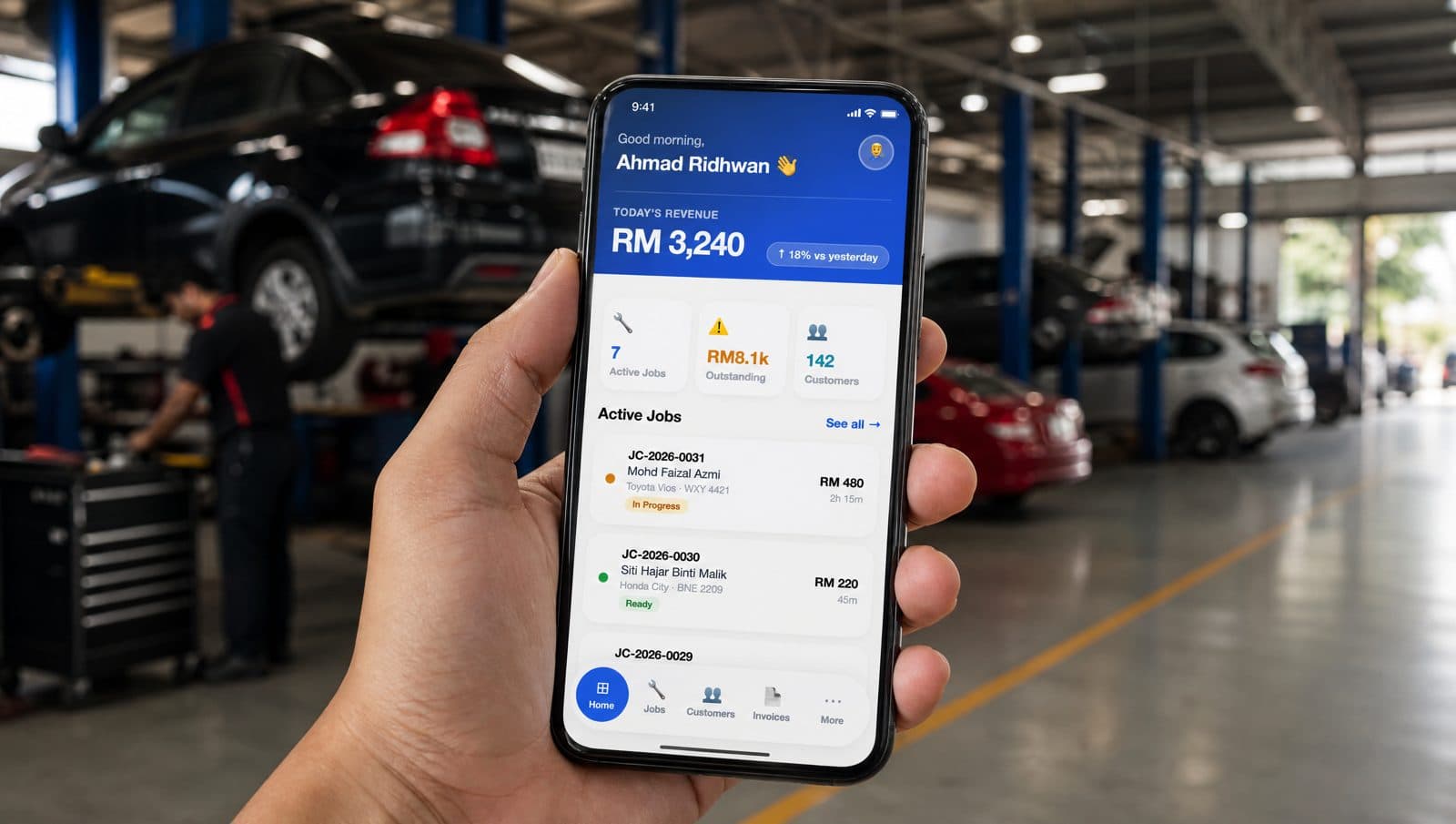
Run your workshop from your phone.
Seven days free. No credit card. Set up your first customer, vehicle, and job card in about fifteen minutes.